
Sales Pipeline Analysis · Power BI template
Present your pipeline and each rep's activity
Built on real client projects, with a deployment guide, an anonymized dataset, email support, and advanced visualization techniques you can reuse in your own reports. If you want a hand, book a session with me.
€69excl. VAT
Taxes calculated at checkout
- Deployment kit included
- Support within 48 business hours
- Consulting available
Connect your CRM in minutes
Start from your CRM exports in Excel or CSV: your deals and your activities. The deployment guide tells you what to export and how to map your sales stages to the report's. The report fills in, then updates with every new export.
- HubSpot
- Pipedrive
- Salesforce
- Zoho CRM

- Excel
In three steps
Test it
Open the report with the anonymized dataset: everything already works.
Connect your data
Export your deals and activities from your CRM, and enter them in the delivered Excel file, mapping your sales stages to the report's seven. Then point Power BI Desktop to that file, with the guide at hand.
Check and publish
Run the guide's four checks and compare the number and value of opportunities created with your CRM, then publish the report for your team.
We list the big names, but the report connects to any data source. Not sure about yours? Email me a sample of your export at emilien@datapilot.fr, and I'll get back to you within 48 business hours.
A report you can use right away
Follow your opportunities from discovery to closed won, with their estimated and weighted value vs. last year. Each sales rep gets a row: their opportunities and their value, conversion rate, calls, meetings, and orders. Clear numbers for your sales meetings.
| Opportunities created | Estimated value | Weighted value | |
|---|---|---|---|
| Benjamin Carter | 10 | $345,780 | $82,428 |
| Hugh Mitchell | 8 | $285,760 | $83,790 |
| Jacob Foster | 10 | $246,630 | $92,730 |
Report extract, anonymized data
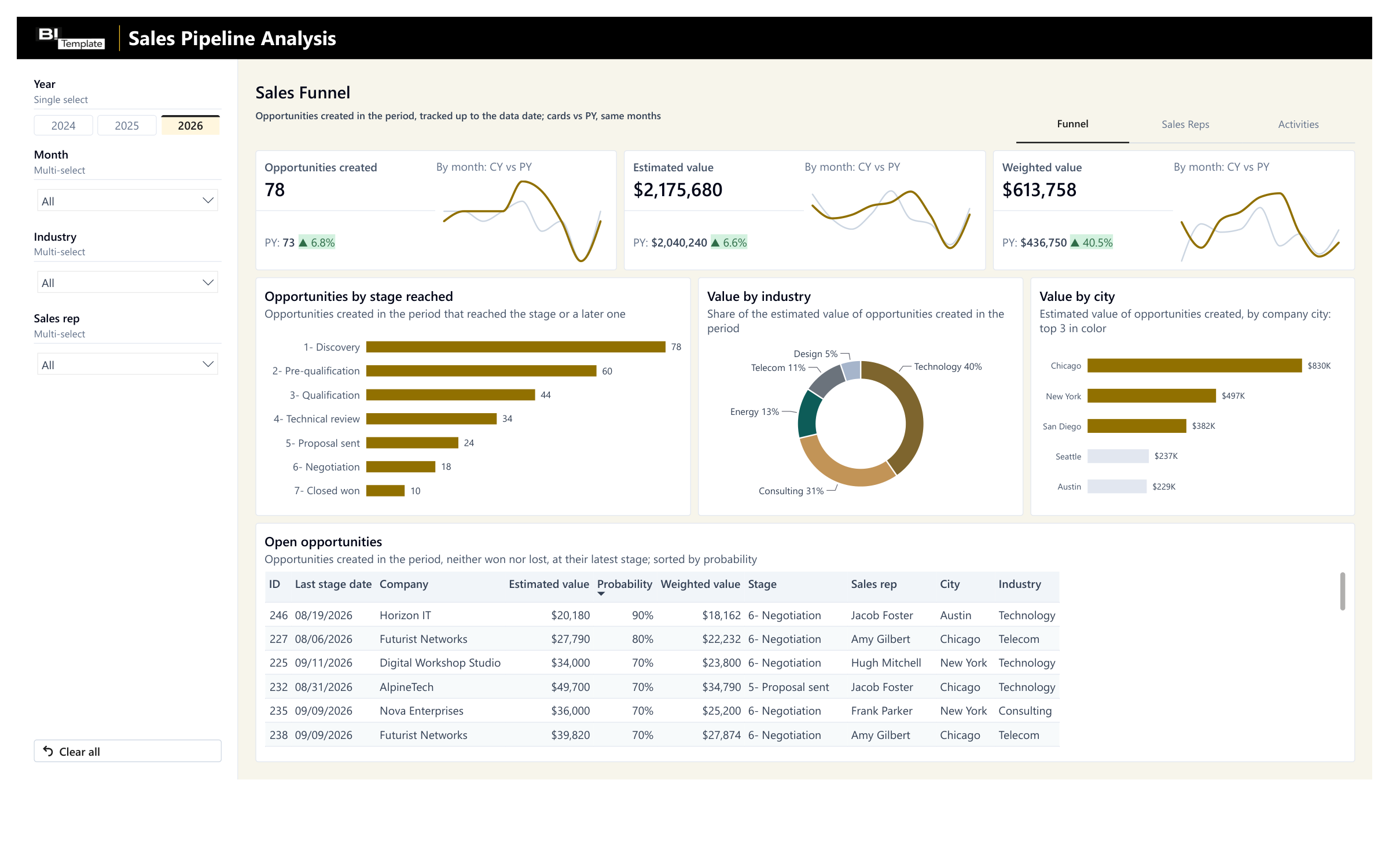
How far your deals go, from discovery to closed 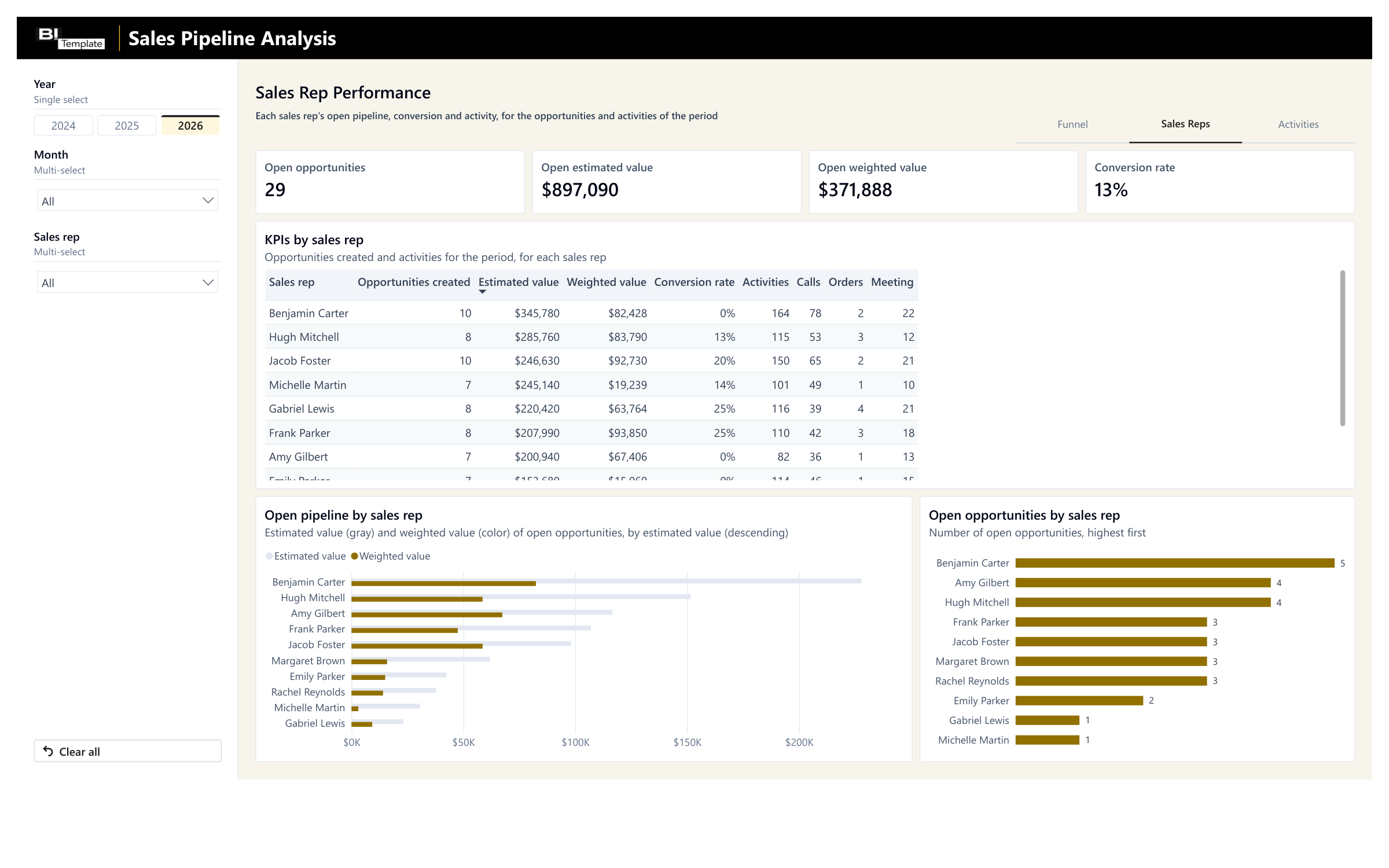
Open pipeline, conversion, and each rep's activity 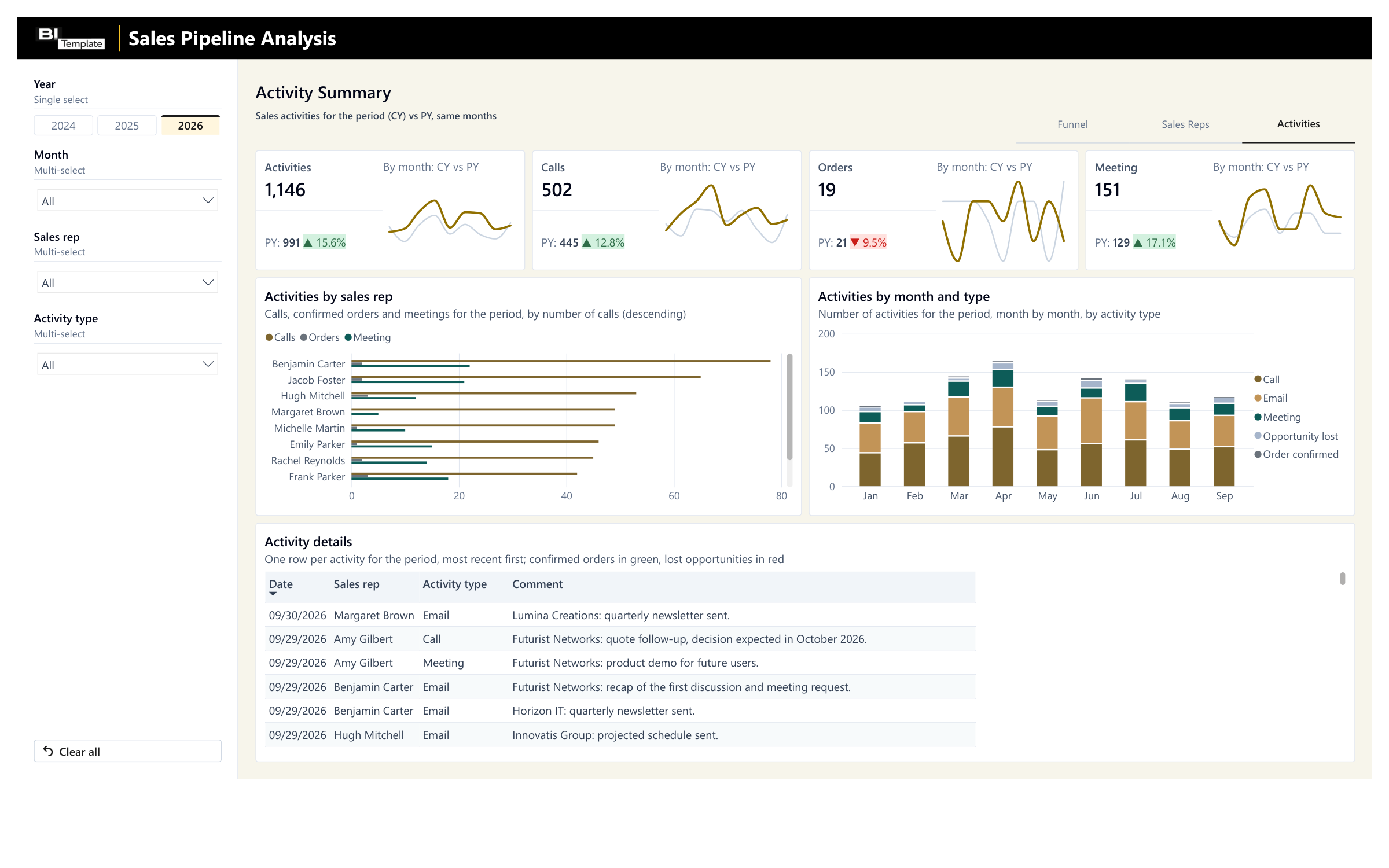
Your team's activity month by month, vs. last year
Anonymized data. Your own numbers take its place as soon as you connect your export.
Filter, hover, explore: this is the report you get, loaded with the anonymized dataset.
Save 2 months of development
Our experts built this pipeline and sales activity tracking on client projects. Start from this standard instead of from scratch.
With an agency
A project built from scratch
- Timeline
With an agency : 2 months of development- Price
With an agency : From €3,000 excl. VAT
With a template
A standard proven on client projects
- Timeline
- Ready to use today
- Price
- €69 excl. VAT
Timeline and price observed at other agencies for a simple report, custom-built.
Need something specific to your business? At Datapilot, our experts start from this report to build yours. Talk to Datapilot
What you get
The Power BI report
The Power BI Desktop file. It's yours: change it however you like.
The deployment guide
A step-by-step PDF, from opening the report to publishing it.
The anonymized dataset
An Excel file to test everything before you connect your own numbers.
By email, right after payment: one download link to a .zip file with all 3 files.
Consulting services
Would you like one-on-one help while you set up your template?
I'll help you get started with your template and set it up. I have 10 years of experience in reporting, and I can help you figure out how to export your data, deploy the report, or adapt it to your business.

Emilien GrangerFounder and CTO of Datapilot
One hour for €200 excl. VAT, or a half day for €500 excl. VAT, with the report or later.
Taxes calculated at checkout
FAQ

Yes. The simplest way is to start from your CRM exports, in Excel or CSV, whatever your software; the deployment guide tells you what to export and where to put it in the delivered Excel file. We list the big CRMs, but the report connects to any data source.
No. You map each of your stages to one of the report's seven, or rename the report's stages. The deployment guide gives a common mapping to adapt to your sales cycle. I can help you connect your tools and answer your questions.
Yes. The Sales rep filter shows only the selected rep's opportunities and activities, and the Sales Reps page puts the whole team side by side. A new rep appears as soon as they show up in your exports.
Yes. Export last year's deals and activities too, and the report does the comparison on its own.
Licenses, delivery, support, and payment are covered in the FAQ. See all questions
Technical details
Every report ships connected to an Excel file, the simplest setup when you don't have a data infrastructure. You can swap that file for your own Excel files, and, more importantly, connect the report directly to your sources.
Possible sources
HubSpot
- By export
- Deals and activities, in Excel or CSV.
- Direct connection
- The HubSpot API.
Pipedrive
- By export
- Deals and activities, in Excel or CSV.
- Direct connection
- The Pipedrive API.
Salesforce
- By export
- Opportunities and activities, in Excel or CSV.
- Direct connection
- The Salesforce API.
Zoho CRM
- By export
- Deals and activities, in Excel or CSV.
- Direct connection
- The Zoho CRM API.
Odoo
- By export
- Opportunities and activities, in Excel or CSV.
- Direct connection
- The Odoo API.
A sales tracker kept in Excel
- By export
- Your deals and activities, in the format of the delivered file.
- Direct connection
- The report connects to your own Excel file instead.
A direct connection takes some setup on your side, and the closer you get to the source, the more technical it gets. I can help you connect through consulting services, so everything goes as smoothly as possible.
How the report is built today
The tables of the delivered Excel file, as the report reads them today. It stays flexible: your data doesn't need to have this exact shape.
"FACT_Opps" sheet (deals)
Opportunity ID, Sales rep, Company, Estimated value (in dollars), Probability (as a percentage), Created date
"FACT_Funnel" sheet (stages reached)
Opportunity ID, Stage (one of the report's seven), Date
"FACT_Activities" sheet (sales activities)
Activity date, Sales rep, Activity type (call, email, meeting, order confirmed, opportunity lost), Comments
"DIM_Company" sheet (customers)
Company, Industry, City, Description (can stay empty), Customer since (can stay empty)
Sales reps
built into the reportSales stages
built into the reportCalendar
built into the report
- Power BI Desktop file (.pbix), ready to publish to the Power BI service.
- Three pages: Funnel (opportunities created, estimated value, and weighted value vs. prior year, opportunities by stage reached, value by industry and city, open opportunities), Sales Reps (open pipeline, conversion rate, KPIs by sales rep), and Activities (activities, calls, orders, and meetings vs. prior year, activities by sales rep and by month, activity details); Year, Month, and Sales rep filters, plus Industry on Funnel and Activity type on Activities.
- Data loaded by Power Query from four sheets of an Excel workbook, the anonymized dataset, which you replace with your exports; a single query points to the file to read.
- Seven sales stages, from "1- Discovery" to "7- Closed won": your stages map to them, and you can rename each one as long as it keeps its number.
- Opportunities tracked by cohort: the period covers the opportunities created in it, followed up to the date of the data; activities follow their own date.
- Calculated status: won if the opportunity reached "7- Closed won", lost if its probability is zero, open otherwise. Weighted value: the estimated value multiplied by the probability from your CRM. Conversion rate: opportunities closed won over opportunities created in the period.
- Model: opportunities linked to the stages they reached, to companies, to sales reps, and to the calendar by created date; activities linked to sales reps and to the calendar by their own date. Sales reps and calendar rebuilt at every refresh.
- DAX measures: number of opportunities, estimated and weighted value, funnel by stage reached, conversion rate, open pipeline, activities by type; for the seven cards, the prior-year reference over the same months, the variance, and the sparklines. Green badge when a KPI goes up, red when it goes down.
Your report is ready. All it needs is your numbers.
One payment, no subscription. You get the report, its deployment guide, and an anonymized dataset already loaded. Connect your source, and your report is ready to use.
€69excl. VAT
Taxes calculated at checkout
Our other Power BI templates
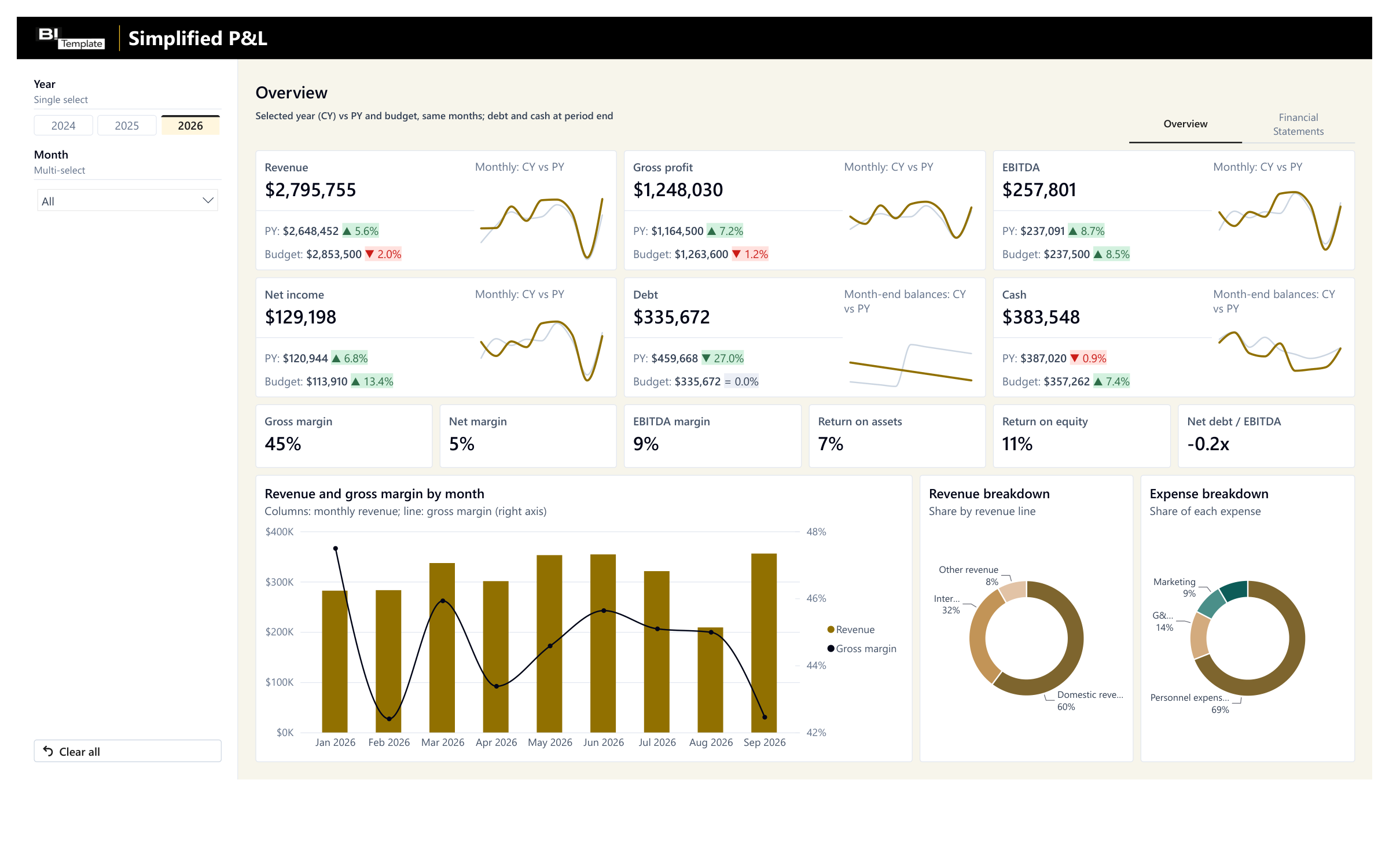
Simplified P&L
Your financial reporting vs. last year and budget, ready to present to your leadership team.
€109 excl. VAT
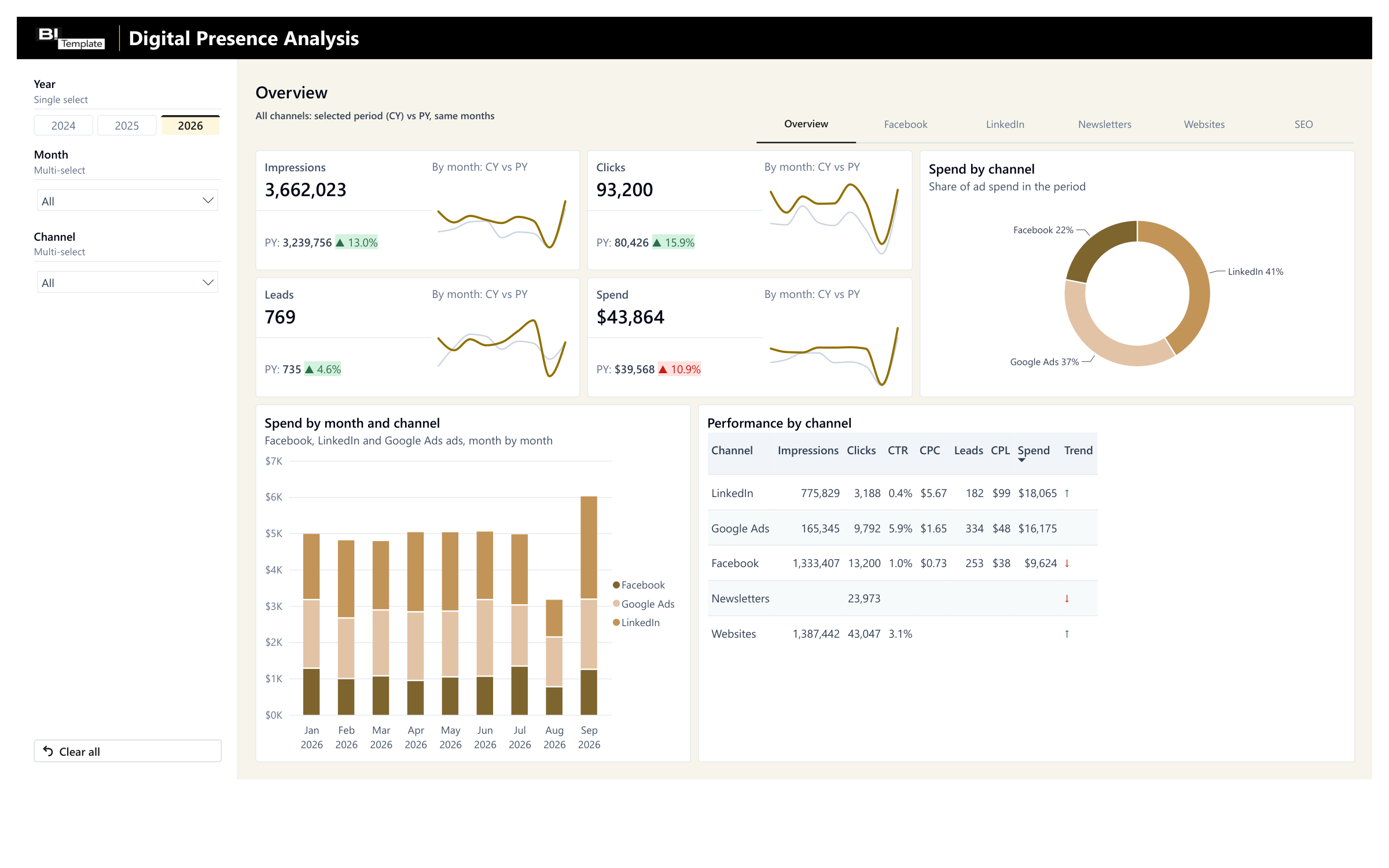
Digital Marketing Analysis
Facebook, LinkedIn, newsletters, and websites vs. last year, in one report.
€129 excl. VAT
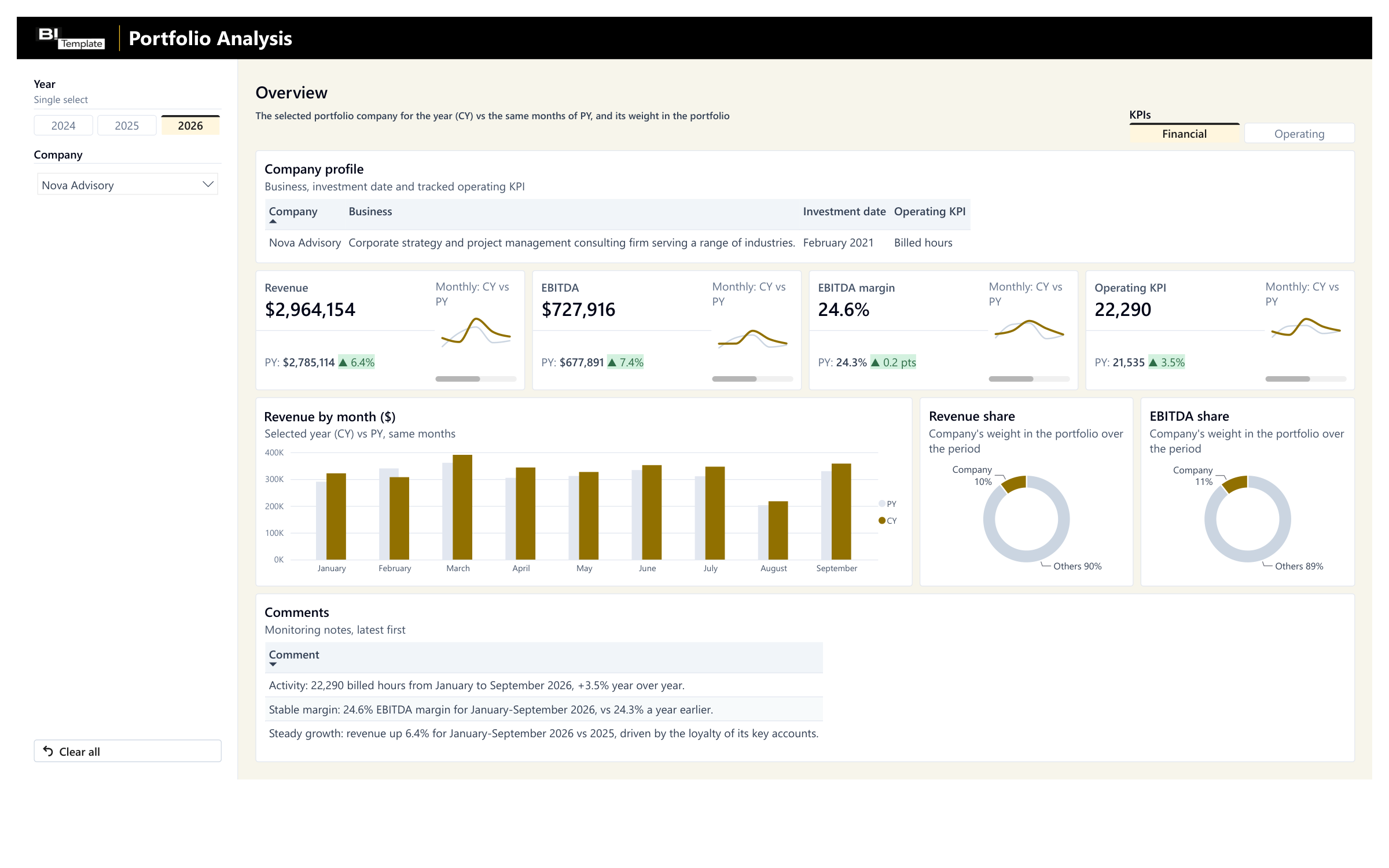
Portfolio Monitoring
Your portfolio companies' monthly reporting vs. last year, with their weight in your portfolio.
€89 excl. VAT
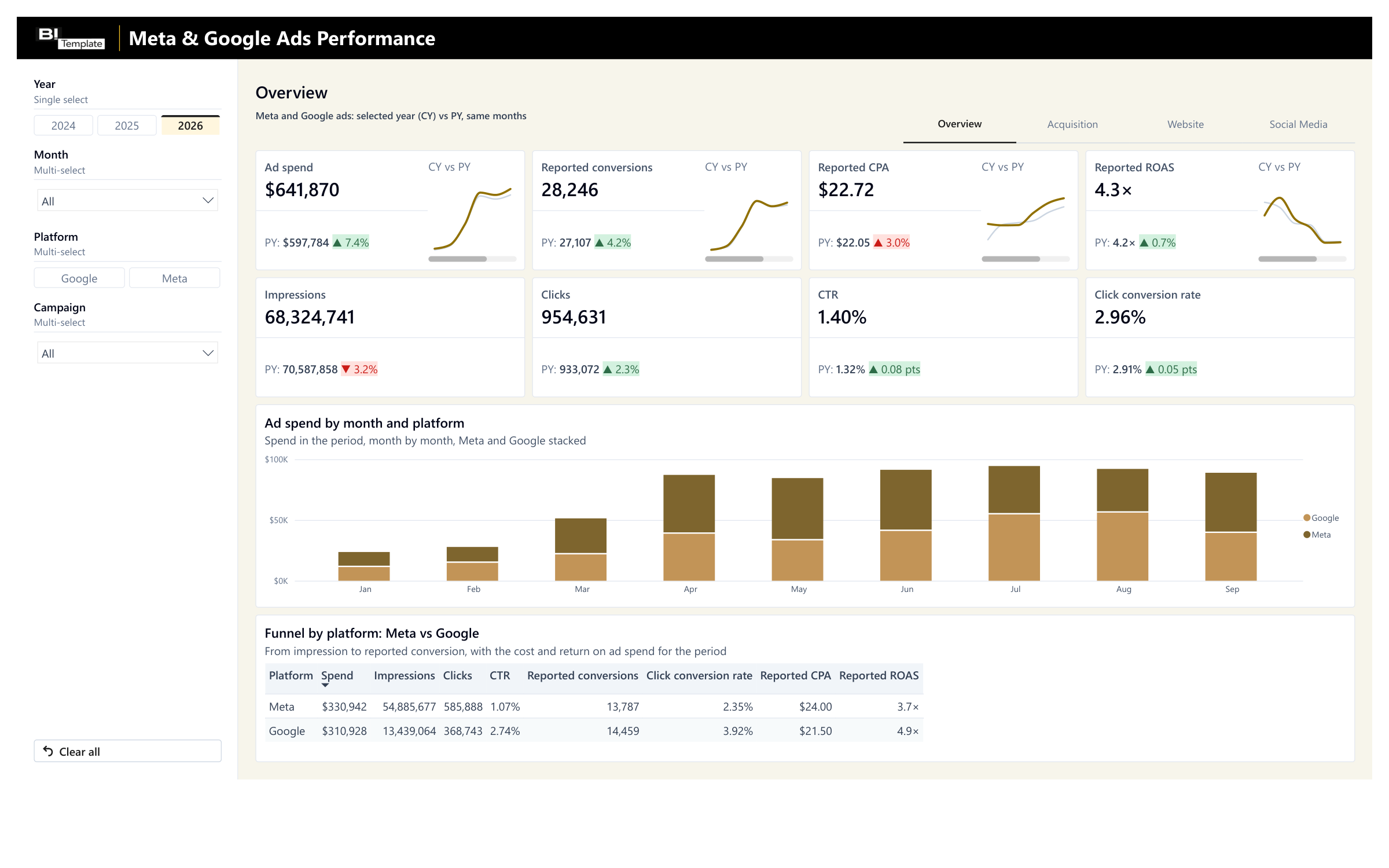
Meta & Google Ads Performance Report
Your Meta and Google spend and results, campaign by campaign.
€69 excl. VAT