
Power BI templates for finance
Rebuilding the management reporting by hand after every month-end close takes at least 2 days a month from whoever prepares it. From €89 excl. VAT, our templates compare your income statement (P&L) with last year and budget, and each portfolio company with its prior year. They update with every export.
Over 5 years, Datapilot experts have delivered dozens of projects in finance.
We built this financial reporting on client projects
Client after client, the same request came up: a clear P&L. Our experts have built dozens of them on client projects, and our portfolio monitoring report comes from that work too. You start from a report already proven with our clients.
A P&L you can read on one screen
Your income statement, balance sheet, and cash flow fit on one screen, line by line. An overview gives you your key figures and ratios.
Budget vs. actual
Variances to budget and to last year show at a glance, without reworking your numbers.
Several companies, one view
Each portfolio company on a single page: its revenue, its EBITDA, and the KPI specific to its business vs. last year, with its weight in the portfolio.
Every month, without starting over
Add the month's numbers and the report updates, ready to present to your leadership team.
Some of Datapilot's clients: Sanofi, Sodexo, Renault, and Lindt.
The templates that came out of that work
Try each template in its interactive demo, then connect it to your exports with its deployment kit: a step-by-step guide, from opening the report to publishing it.
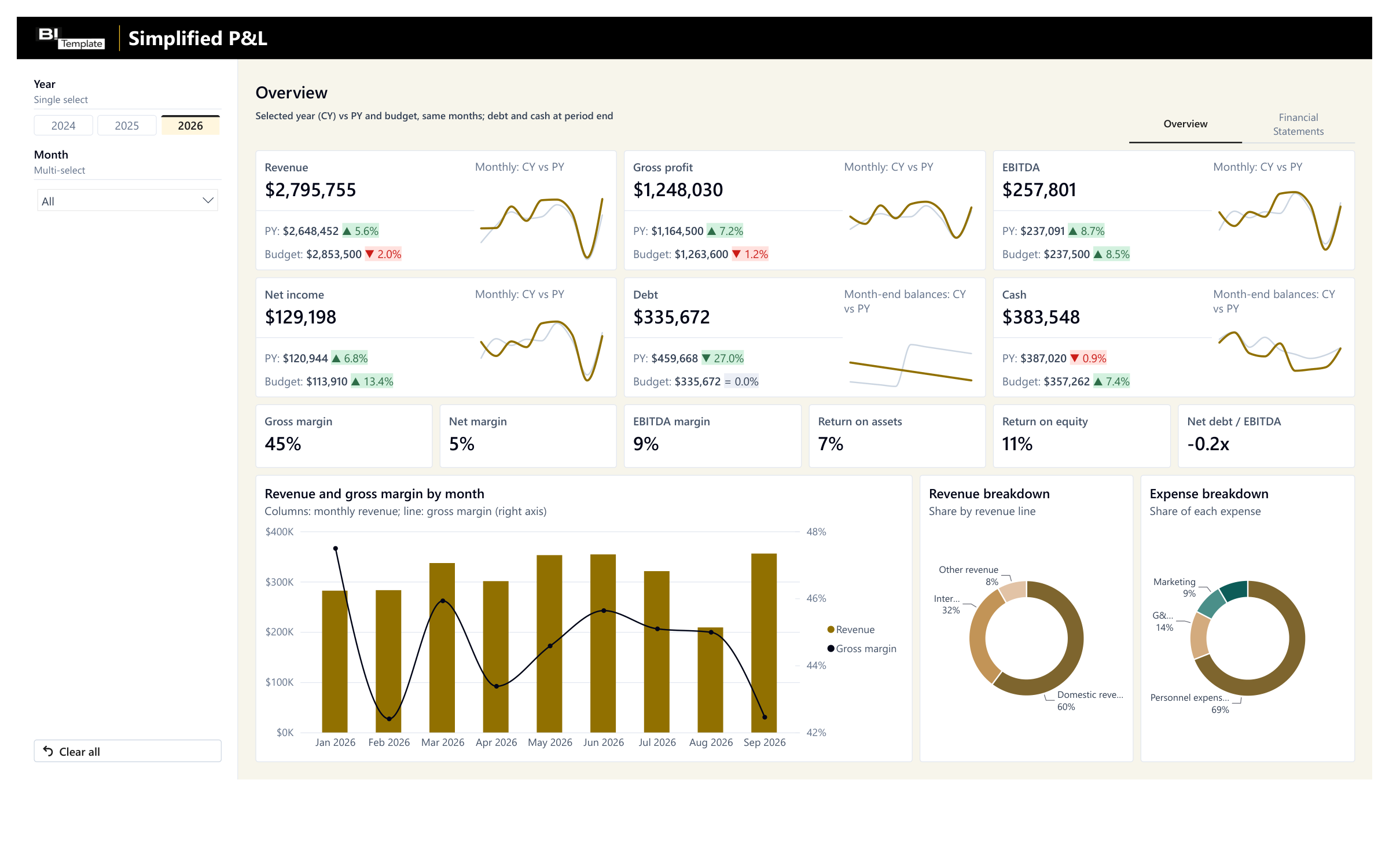
Simplified P&L
Your financial reporting vs. last year and budget, ready to present to your leadership team.
€109 excl. VAT
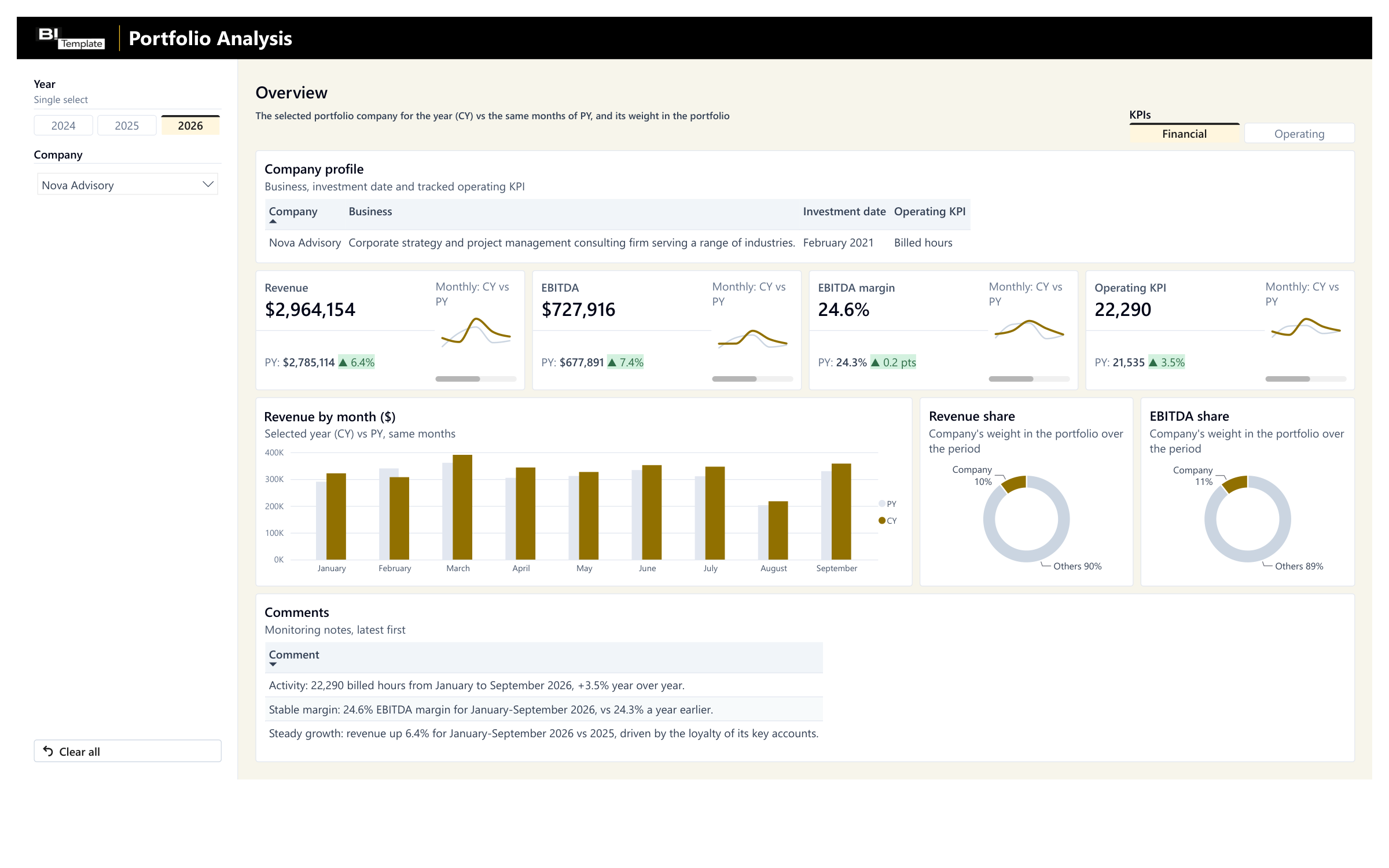
Portfolio Monitoring
Your portfolio companies' monthly reporting vs. last year, with their weight in your portfolio.
€89 excl. VAT
- Deployment kit included
- Support within 48 business hours
- Consulting available
Connect your accounting or your reporting
 QuickBooks
 Xero
Xero- NetSuite
- Sage Intacct
- Dynamics 365
- Excel

- Salesforce
We list the big names, but our templates connect to any data source. The simplest way to start is an Excel or CSV export, and each template's deployment guide explains how to adapt it to your systems. For a direct connection, I'll help you hook up your tools during our consulting sessions.
Questions before you choose

No. You map each of your accounts to a line of the report in an Excel file, with the deployment guide at hand. I can help you connect your tools and answer your questions.
Yes, with Portfolio Monitoring: each portfolio company on a single page, with its revenue, its EBITDA, and the KPI specific to its business vs. last year, plus its weight in the portfolio. You enter each company's numbers in the same Excel file, whatever its reporting looks like. The deployment guide tells you where to find each figure.
Not ready to buy a template yet?
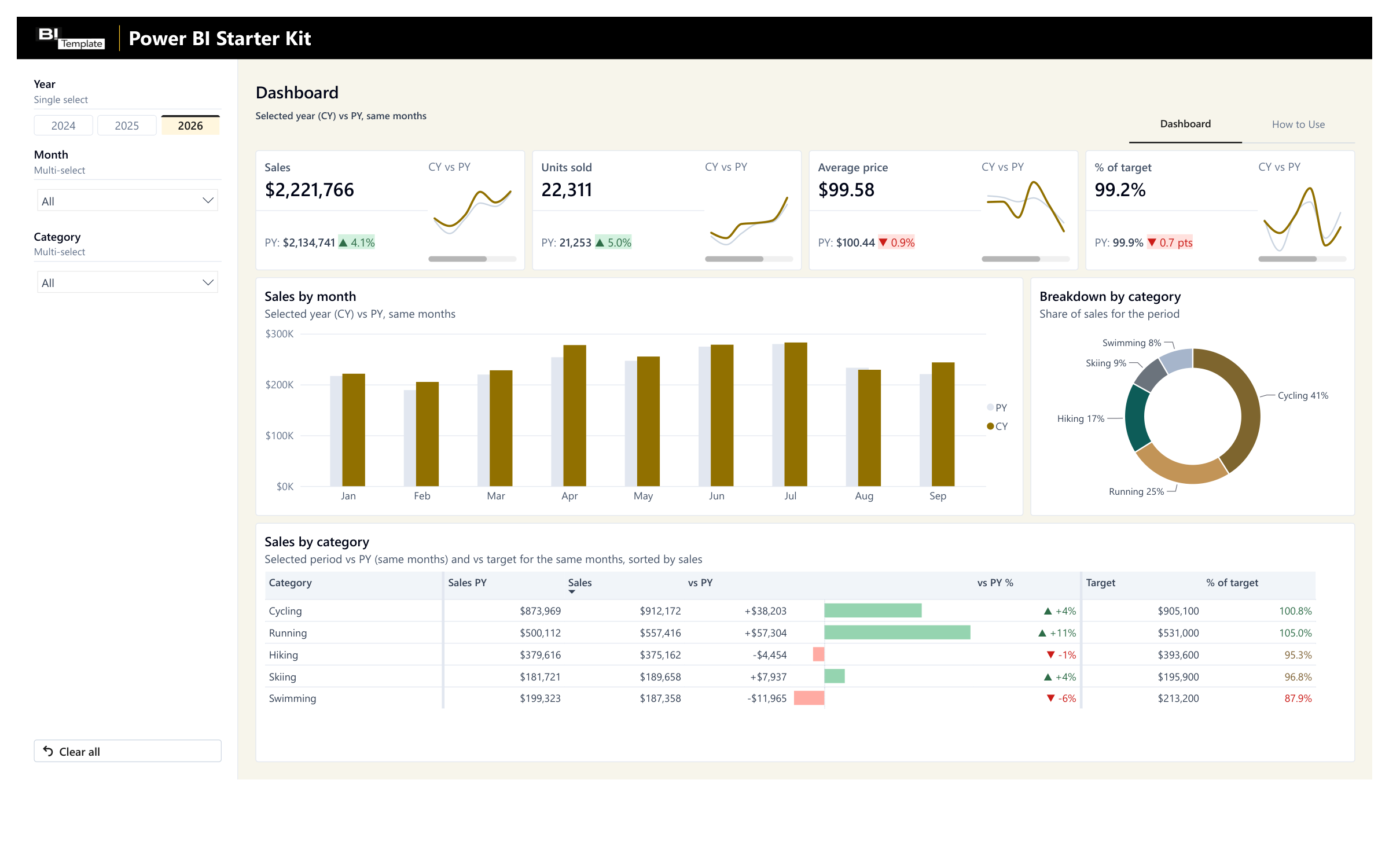
Try our Starter Kit for free and adapt it to your needs. It includes a calendar table, 7 ready-made visuals, and a guide, all reusable in your own reports.
Let's talk about your financial reporting
We'll look at your accounting and what you want to track together, and I'll tell you honestly whether one of our templates fits, before you buy anything.
Need help connecting your data? I'll deploy your report with you: one hour for €200 excl. VAT, or a half day for €500 excl. VAT.
Learn about consulting services