
Power BI templates for sales
Rebuilding the pipeline, the forecast, and each rep's activity by hand for the sales meeting takes at least 2 days a month from whoever prepares them. For €69 excl. VAT, our template calculates them from your CRM export.
Over 5 years, Datapilot experts have delivered dozens of projects in sales reporting.
We built this sales reporting on client projects
Client after client, the same request came up: track the pipeline and each rep's activity, with numbers that are easy to read in the sales meeting. Our experts built this report on client projects to answer it. You start from a report already proven with our clients.
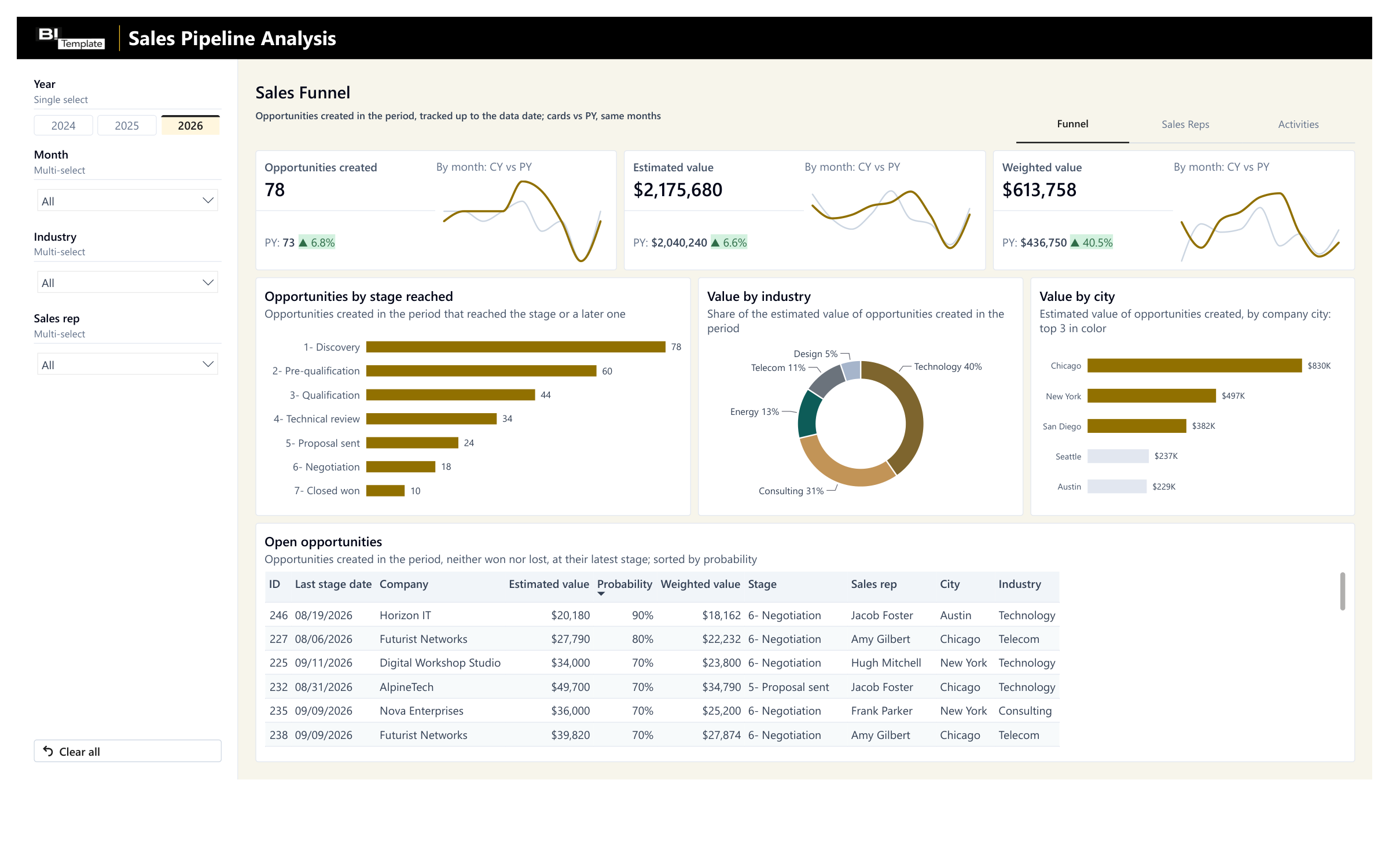
Where your deals stand
Every deal at the stage it reached, from discovery to closed won, vs. last year. You see at a glance what's moving.
What your pipeline could bring in
The value of each deal, weighted by its probability of closing: a more cautious estimate than the raw total.
What each rep is doing
Their conversion rate, calls, meetings, and orders, month by month and vs. last year, ready for your sales meeting.
Where your business comes from
Deal value by customer industry and city, so you know where to focus.
Some of Datapilot's clients: Sanofi, Sodexo, Renault, and Lindt.
The template that came out of that work
Try the template in its interactive demo, then connect it to your CRM exports with its deployment kit: a step-by-step guide, from opening the report to publishing it.
- Deployment kit included
- Support within 48 business hours
- Consulting available
To track your closed sales too, B2B Sales Analysis is free: your revenue by product, city, and customer, compared with last year and your target. Get it free
Connect your CRM
- HubSpot
- Pipedrive
- Salesforce
- Zoho CRM

- Excel
We list the big CRMs (HubSpot, Salesforce, Pipedrive, Zoho CRM, Odoo), but the report connects to any data source. The simplest way to start is an Excel or CSV export, and the deployment guide explains how to adapt the report to your systems. For a direct connection, I'll help you hook up your tools during our consulting sessions.
Questions before you choose

Yes. The Sales rep filter shows only the selected rep's opportunities and activities, and the Sales Reps page puts the whole team side by side. A new rep appears as soon as they show up in your exports.
No. You map each of your stages to one of the report's seven, or rename the report's stages. I can help you connect your tools and answer your questions.
Not ready to buy a template yet?
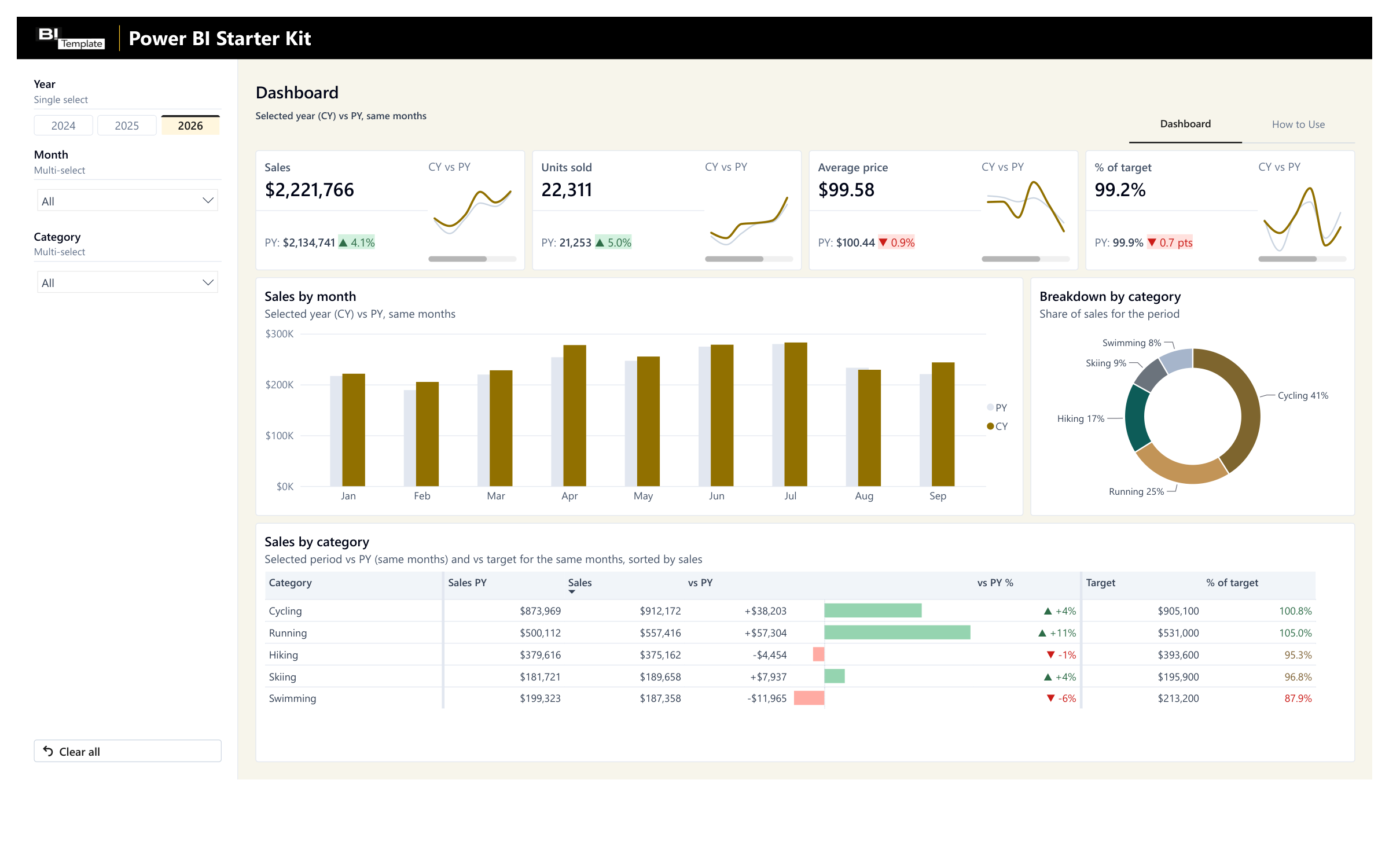
Try our Starter Kit for free and adapt it to your needs. It includes a calendar table, 7 ready-made visuals, and a guide, all reusable in your own reports.
Let's talk about your sales numbers
We'll look at your CRM and your sales stages together, and I'll tell you honestly whether the template fits, before you buy anything.
Need help connecting your data? I'll deploy your report with you: one hour for €200 excl. VAT, or a half day for €500 excl. VAT.
Learn about consulting services