
HR Analysis · Power BI template
Track your key HR metrics, and add the ones specific to your business
Built on real client projects, with a deployment guide, an anonymized dataset, email support, and advanced visualization techniques you can reuse in your own reports. If you want a hand, book a session with me.
€109excl. VAT
Taxes calculated at checkout
- Deployment kit included
- Support within 48 business hours
- Consulting available
Connect your payroll or HRIS in minutes
Start from your employee list, former employees included, and the salary history in your payroll system or HRIS. The deployment guide tells you where to find each column. The report fills in, then updates with every new export.
- ADP
- Gusto
- BambooHR
- Workday
- Excel
In three steps
Test it
Open the report with the anonymized dataset: everything already works.
Connect your data
Export your employee list and salary history from your payroll system or HRIS, then copy them into the delivered Excel file. Then point Power BI Desktop to that file, with the guide at hand.
Check and publish
Run the guide's four checks and compare the report's headcount with your employee records, then publish the report for your leadership team.
We list the big names, but the report connects to any data source. Not sure about yours? Email me a sample of your export at emilien@datapilot.fr, and I'll get back to you within 48 business hours.
A report you can use right away
Track your headcount, leavers, and hires vs. last year, with turnover and churn rates already calculated. Read your payroll, your team's age mix, and the pay gap between women and men for the whole company or by department. Clear numbers, ready for your leadership team.
| Leavers | Hires | Turnover rate | |
|---|---|---|---|
| Production | 17 | 21 | 9.8% |
| Logistics | 4 | 5 | 18.7% |
| Whole company | 30 | 37 | 9.2% |
Report extract, anonymized data
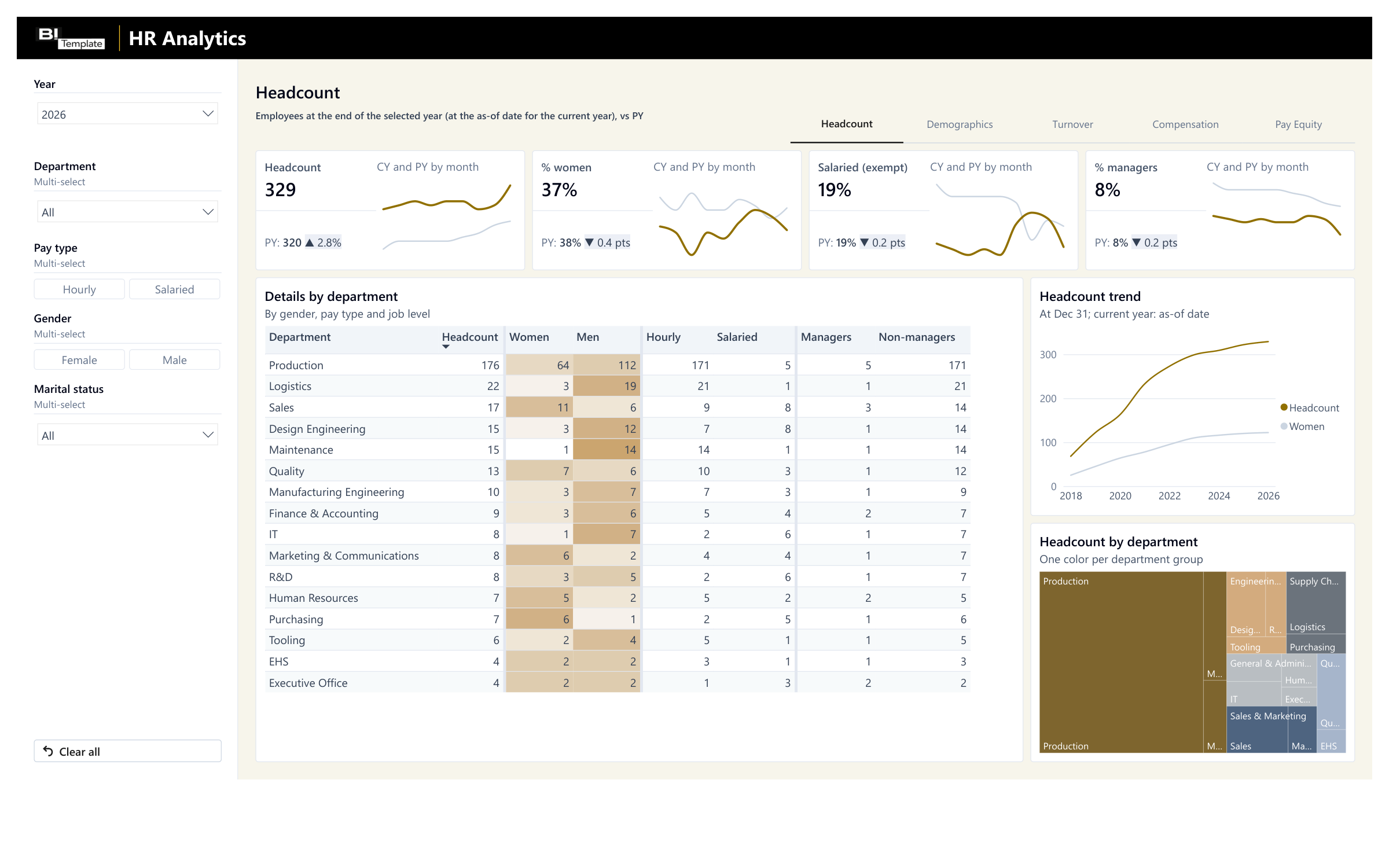
Your headcount and its makeup by department, vs. last year 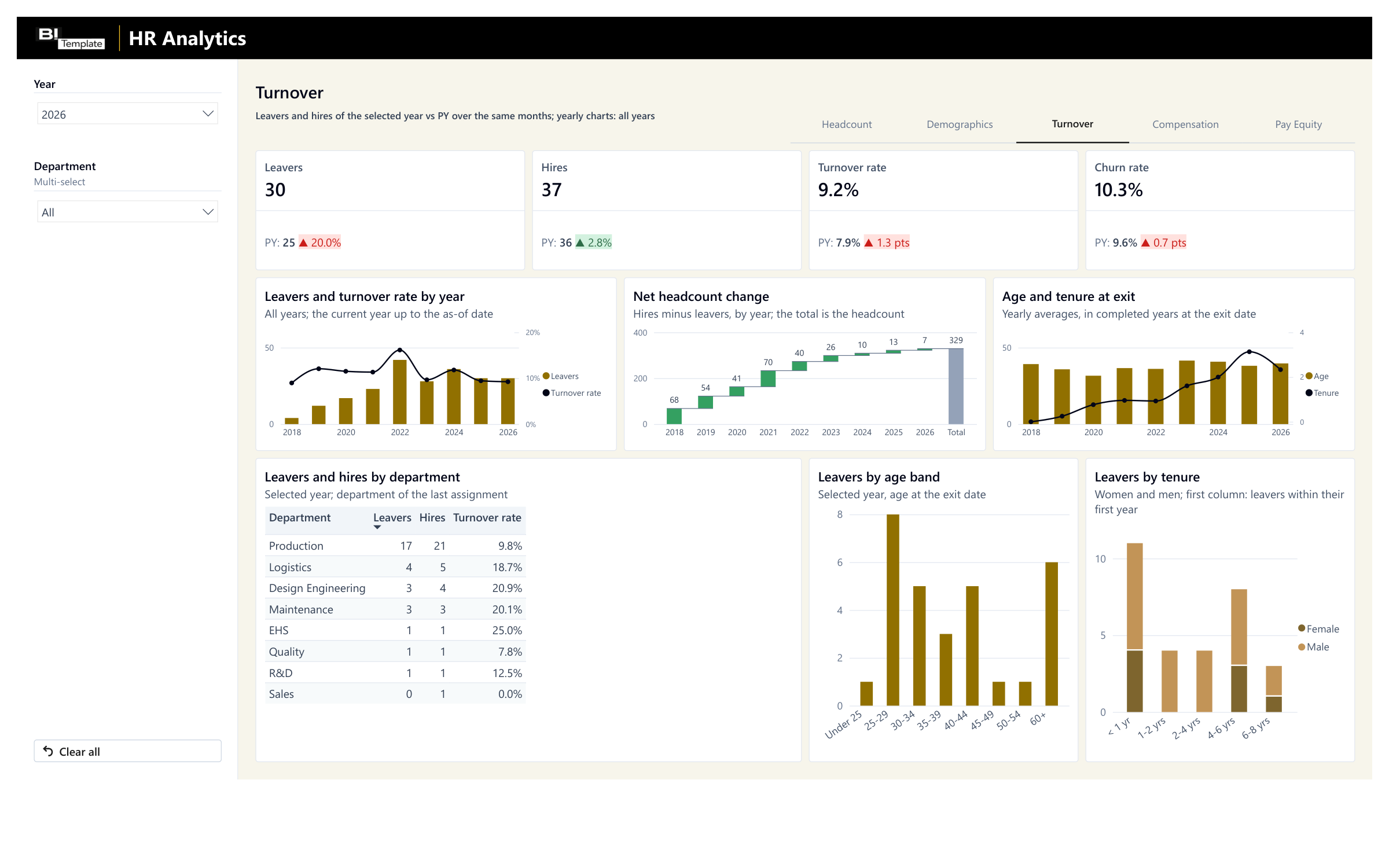
A rise in leavers shows in red, vs. the same months last year 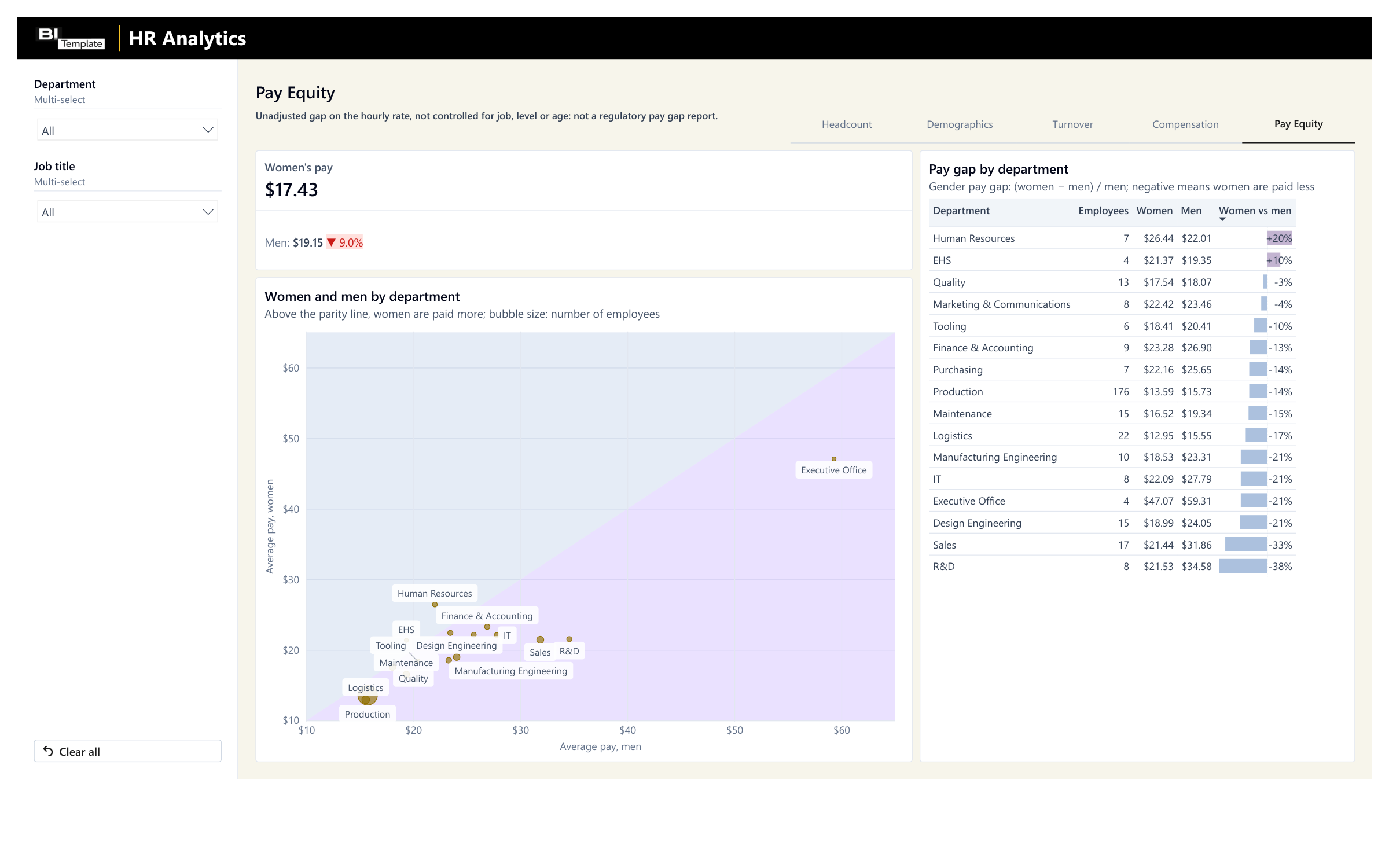
The departments with the widest gap between women and men stand out at a glance
Anonymized data. Your own numbers take its place as soon as you connect your export.
Filter, hover, explore: this is the report you get, loaded with the anonymized dataset.
Save 2 months of development
Our experts built this headcount, turnover, and pay tracking on client projects, one client after another. Start from this standard instead of from scratch.
With an agency
A project built from scratch
- Timeline
With an agency : 2 months of development- Price
With an agency : From €3,000 excl. VAT
With a template
A standard proven on client projects
- Timeline
- Ready to use today
- Price
- €109 excl. VAT
Timeline and price observed at other agencies for a simple report, custom-built.
Need something specific to your business? At Datapilot, our experts start from this report to build yours. Talk to Datapilot
What you get
The Power BI report
The Power BI Desktop file. It's yours: change it however you like.
The deployment guide
A step-by-step PDF, from opening the report to publishing it.
The anonymized dataset
An Excel file to test everything before you connect your own numbers.
By email, right after payment: one download link to a .zip file with all 3 files.
Consulting services
Would you like one-on-one help while you set up your template?
I'll help you get started with your template and set it up. I have 10 years of experience in reporting, and I can help you figure out how to export your data, deploy the report, or adapt it to your business.

Emilien GrangerFounder and CTO of Datapilot
One hour for €200 excl. VAT, or a half day for €500 excl. VAT, with the report or later.
Taxes calculated at checkout
FAQ

Yes. The simplest way is to start from your employee list and salary history, whatever your software; the deployment guide explains how to bring them into the delivered Excel file. We list the big names, but the report connects to any data source. I can help you connect your tools and answer your questions.
No. The report uses your departments, teams, and job titles as you name them: they show up in the filters, tables, and charts.
No. The report recalculates each year's headcount, leavers, and hires from hire and exit dates. Keep former employees in your employee list, with their exit date.
Licenses, delivery, support, and payment are covered in the FAQ. See all questions
Technical details
Every report ships connected to an Excel file, the simplest setup when you don't have a data infrastructure. You can swap that file for your own Excel files, and, more importantly, connect the report directly to your sources.
Possible sources
ADP
- By export
- Your employee list, current and former, with the history of job assignments and base salaries.
- Direct connection
- The ADP API.
Gusto
- By export
- Your employee list, current and former, with the history of job assignments and base salaries.
- Direct connection
- The Gusto API.
BambooHR
- By export
- Your employee list, current and former, with the history of job assignments and base salaries.
- Direct connection
- The BambooHR API.
Workday
- By export
- Your employee list, current and former, with the history of job assignments and base salaries.
- Direct connection
- Workday, through its API or its reports, depending on your setup.
An employee tracker kept in Excel
- By export
- Your employees, their assignments, and their salaries, in the format of the delivered file.
- Direct connection
- The report connects to your own Excel file instead.
A direct connection takes some setup on your side, and the closer you get to the source, the more technical it gets. I can help you connect through consulting services, so everything goes as smoothly as possible.
How the report is built today
The tables of the delivered Excel file, as the report reads them today. It stays flexible: your data doesn't need to have this exact shape.
"Employees" sheet (one row per employee, current or former)
Employee ID, Last_Name and First name (can stay empty), Gender (Female or Male), Birth date, Marital status, Hire date, Job_Title, Job level (1 to 4), Pay type (Hourly or Salaried), Exit date (empty for a current employee)
"Assignments" sheet (each employee's department and shift)
Employee ID, Department code, Shift code, Start date, End date
"Pay History" sheet (one row per rate change)
Employee ID, Effective date, Hourly rate
"Departments" sheet
Department code, Department, Department group
"Shifts" sheet
Shift code, Shift, Start time, End time
Calendar
built into the report
- Power BI Desktop file (.pbix), ready to publish to the Power BI service.
- Five pages: Headcount (headcount, % women, salaried employees, and % managers vs. prior year, detail by department), Demographics (age and gender balance), Turnover (leavers, hires, turnover and churn rates vs. prior year, by department, age, and tenure), Compensation (average and median pay, annual payroll, P90/P10 ratio, raises YTD, spread by department), and Pay Equity (women's and men's average hourly rate by department); Year, Department, Pay type, Gender, Marital status, and Job title filters, depending on the page.
- Data loaded by Power Query from five sheets of an Excel workbook, the anonymized dataset, which you replace with your data: Employees, Assignments, Pay History, Departments, and Shifts, linked by employee ID and by department and shift codes; a single query points to the file to read.
- As-of date: the later of your export date (optional "Extract" sheet) and the workbook's latest event. Headcount, age, tenure, and pay are calculated at that date; leavers and hires over the selected period, vs. the same months of the previous year.
- Leavers counted on the exit date, whatever the reason, and assigned to the department of the last assignment. Turnover rate = leavers / average headcount, the US definition; churn rate = (leavers + hires) / 2 / average headcount; not annualized.
- Pay: each current employee's hourly rate in effect. Annual salary = rate × 2,080 hours, a 40-hour full-time week (AnnualHours parameter, to adjust to your standard working hours); annual payroll in full-time equivalent, excluding bonuses, overtime, and employer payroll taxes.
- Gender pay gap = (women's average hourly rate - men's average hourly rate) / men's average hourly rate: an unadjusted gap, not controlled for job, level, or age, and not a regulatory pay gap report.
- Model: employees linked to the history of their assignments and hourly rates, to departments, to shifts, and to a calendar rebuilt at every refresh.
- DAX measures: headcount at a date and average headcount, leavers and hires vs. prior year, turnover and churn rates, ages and tenures, average and median pay, percentiles (P10 to P90), raises YTD, gender pay gap.
Your report is ready. All it needs is your numbers.
One payment, no subscription. You get the report, its deployment guide, and an anonymized dataset already loaded. Connect your source, and your report is ready to use.
€109excl. VAT
Taxes calculated at checkout
Our other Power BI templates
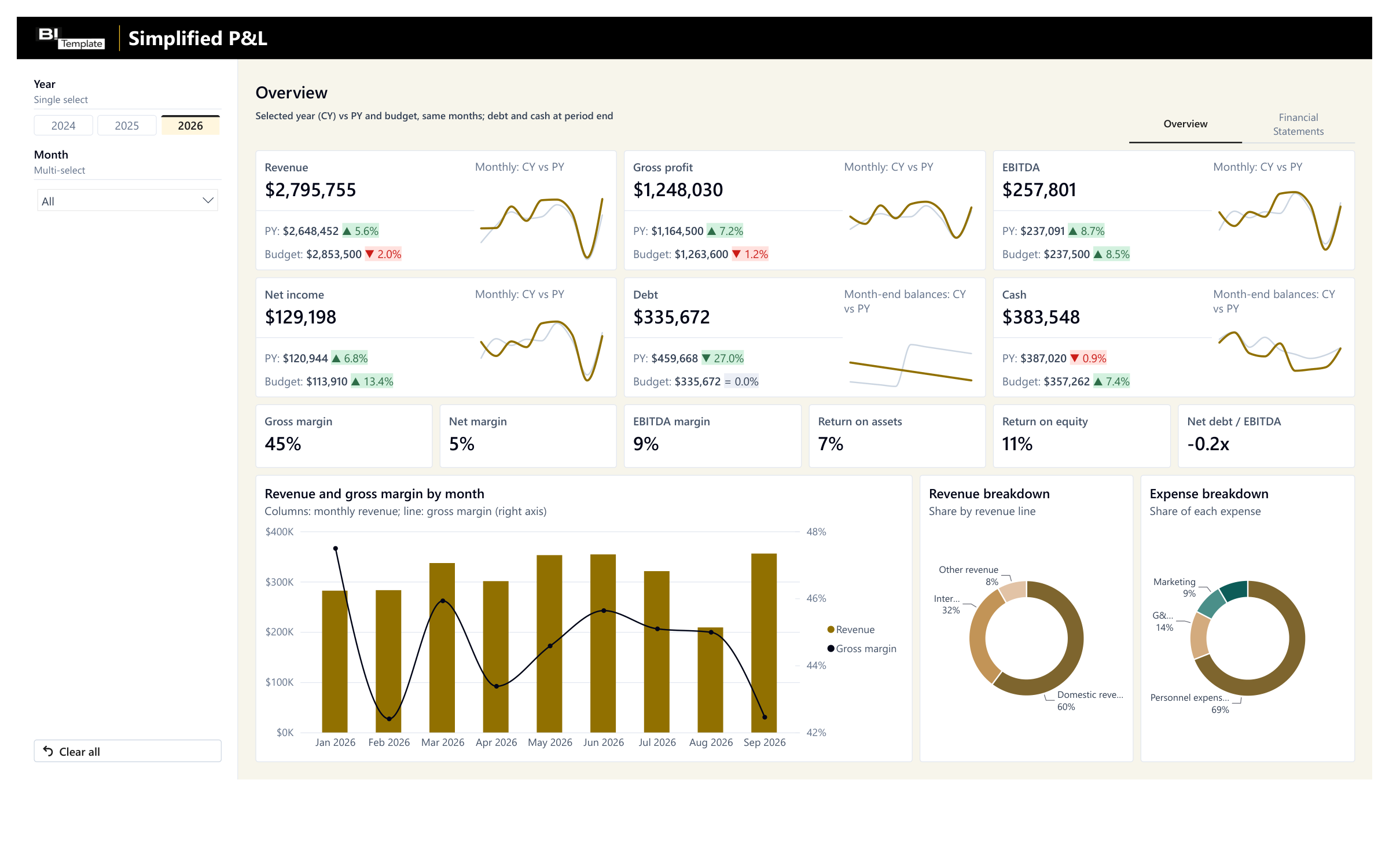
Simplified P&L
Your financial reporting vs. last year and budget, ready to present to your leadership team.
€109 excl. VAT
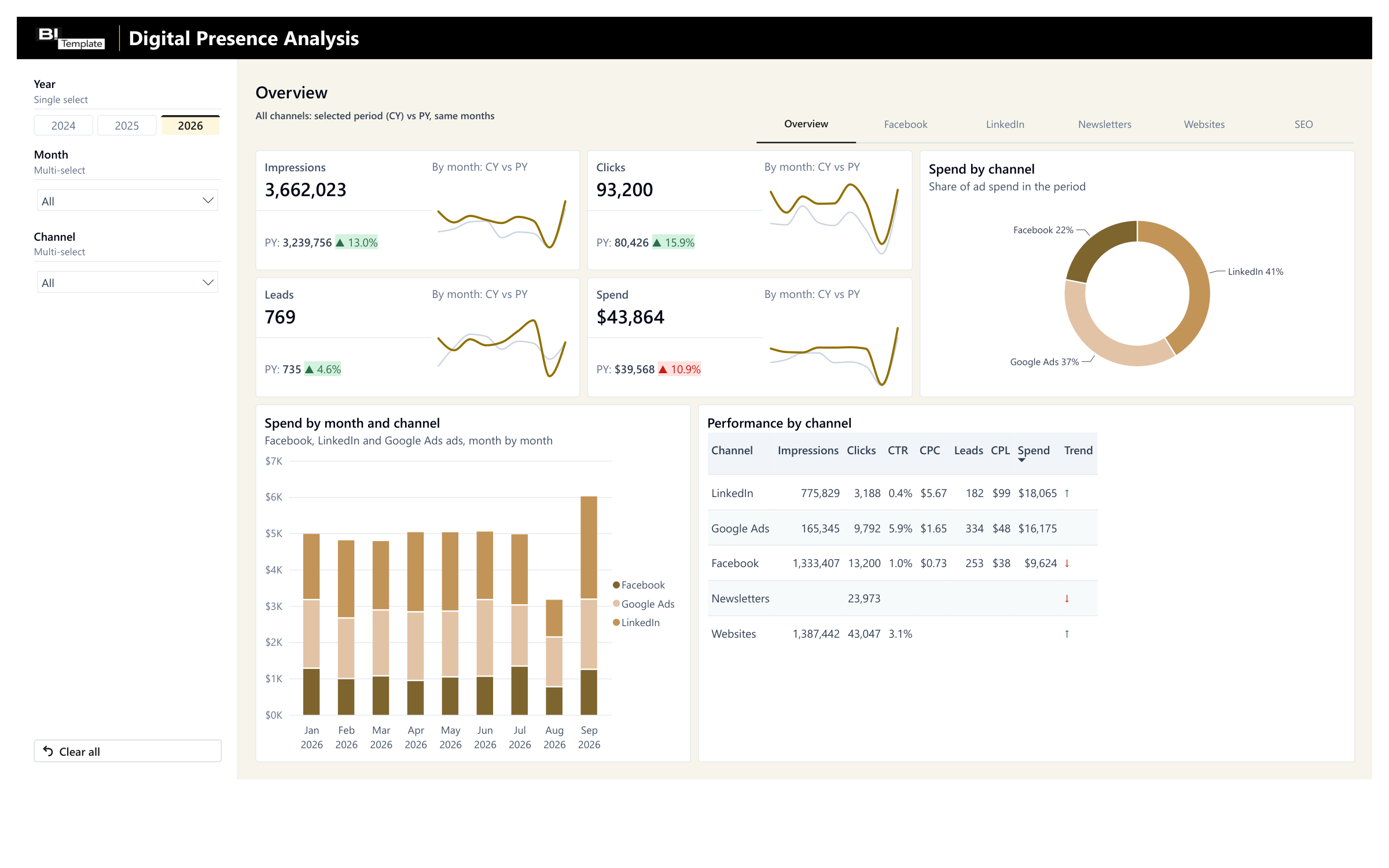
Digital Marketing Analysis
Facebook, LinkedIn, newsletters, and websites vs. last year, in one report.
€129 excl. VAT
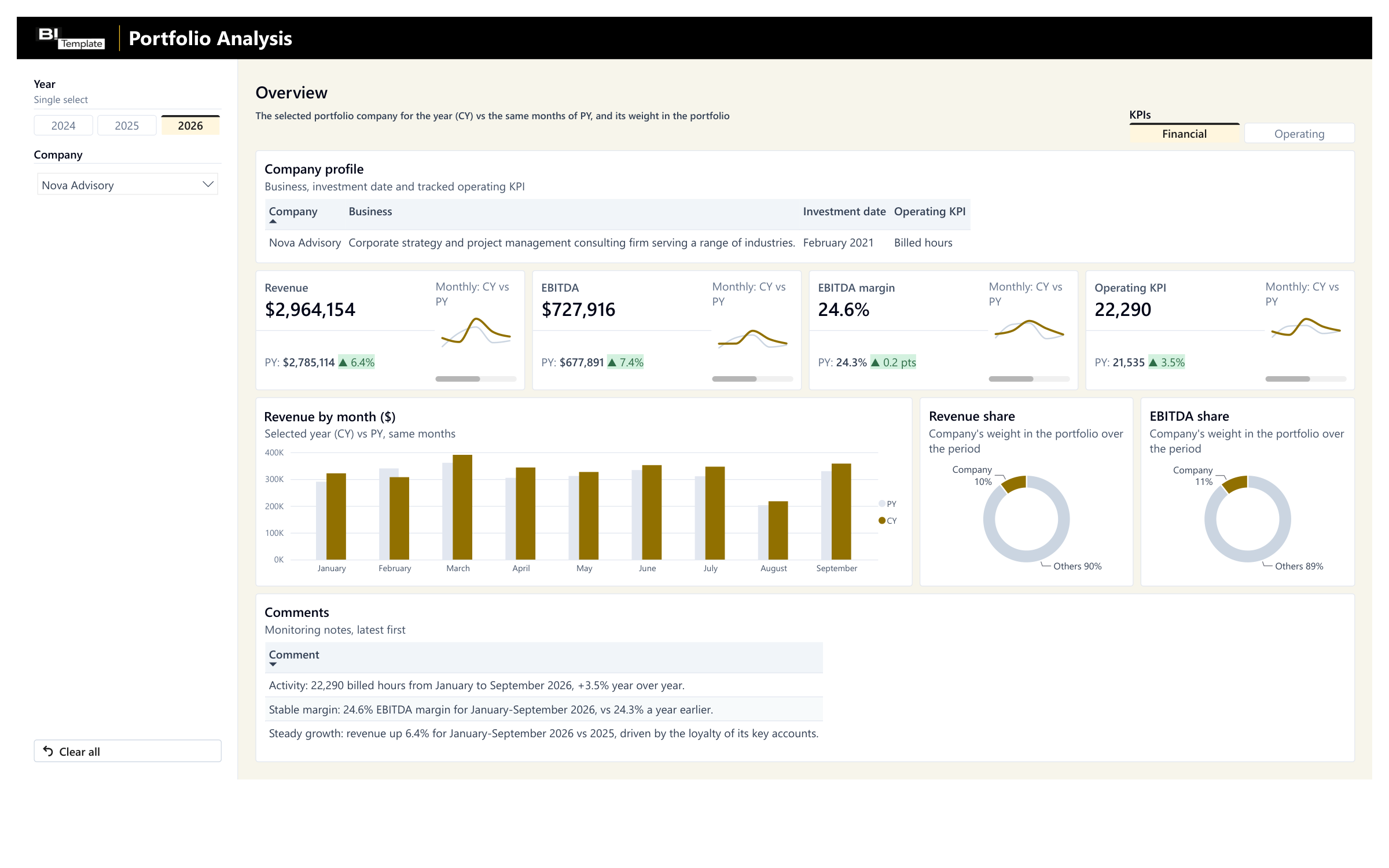
Portfolio Monitoring
Your portfolio companies' monthly reporting vs. last year, with their weight in your portfolio.
€89 excl. VAT
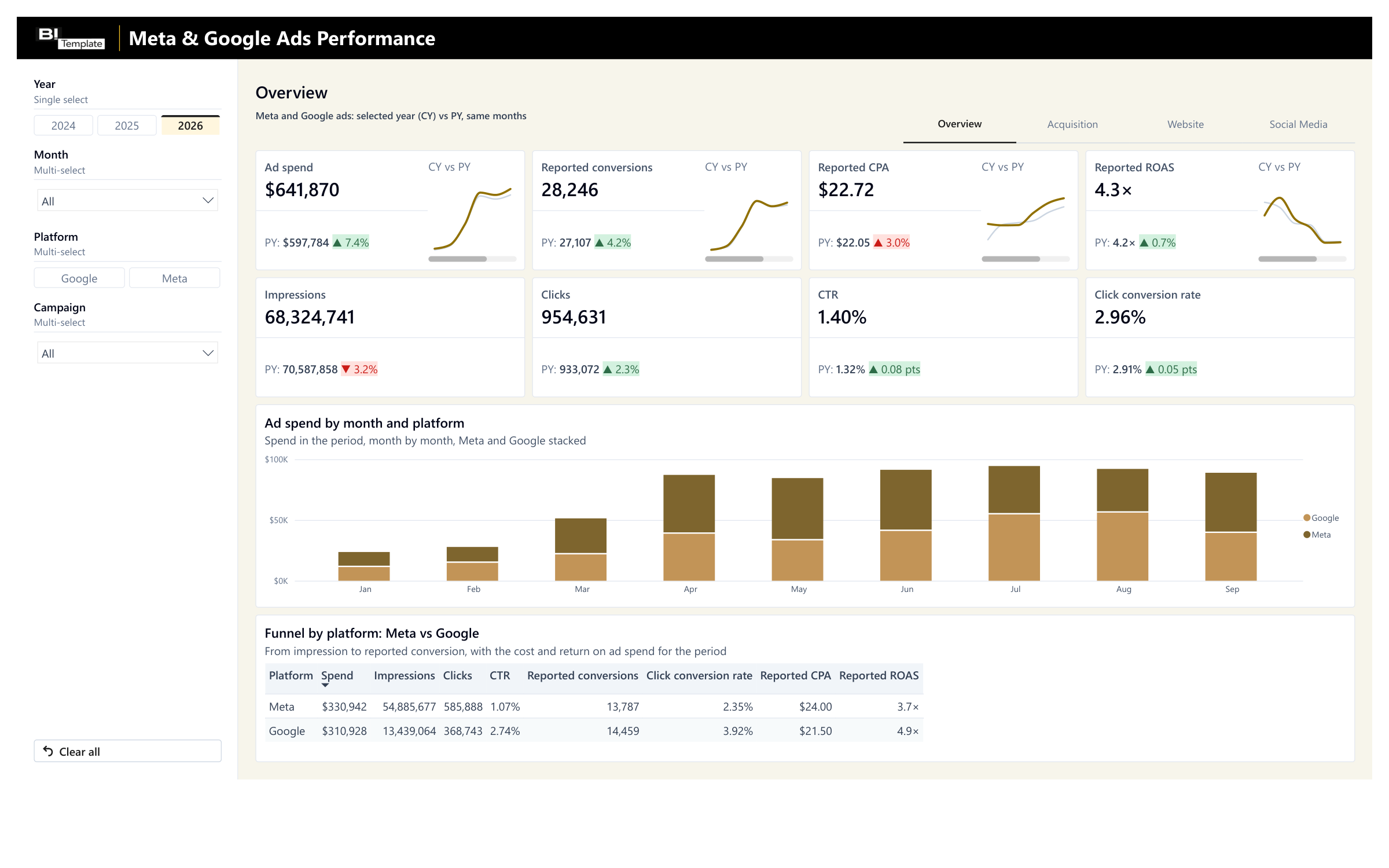
Meta & Google Ads Performance Report
Your Meta and Google spend and results, campaign by campaign.
€69 excl. VAT